Hörsam

Product

One project. Its phases. One workspace.

Your projects on the left. The project's phases in the middle. On the right, an assistant that knows the whole project. That is all you need to keep track of.

01

Planning request

Someone who wants to build asks the municipality to consider a new local plan (planbesked). The municipality needs to know that nothing is missing.

Hörsam

  • Gives the applicant a form through a link. One question at a time, with a map and document upload.
  • Checks the request against the requirements of the Planning and Building Act, with page and quote for each requirement.
  • Writes a Word document in which the municipality's own assessment is left blank.

You

Create the link, read the request and make the assessment.
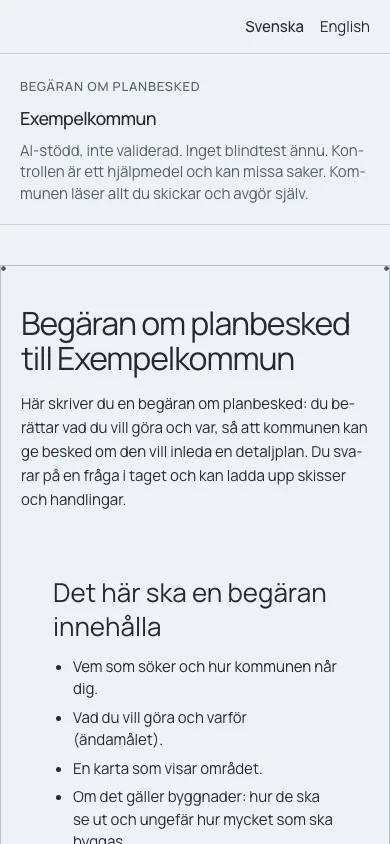
A planning request to a made-up municipality, on a phone. At the top it says that the check is AI-assisted and not validated.

02

Start-up

The request is assessed. Which investigations are needed, who will do them, and what the politicians need to decide.

Hörsam

  • Summarises the request.
  • Proposes experts and investigations.
  • Drafts a paper for the politicians, with a source for every sentence.

You

Assess, edit and take the draft forward.

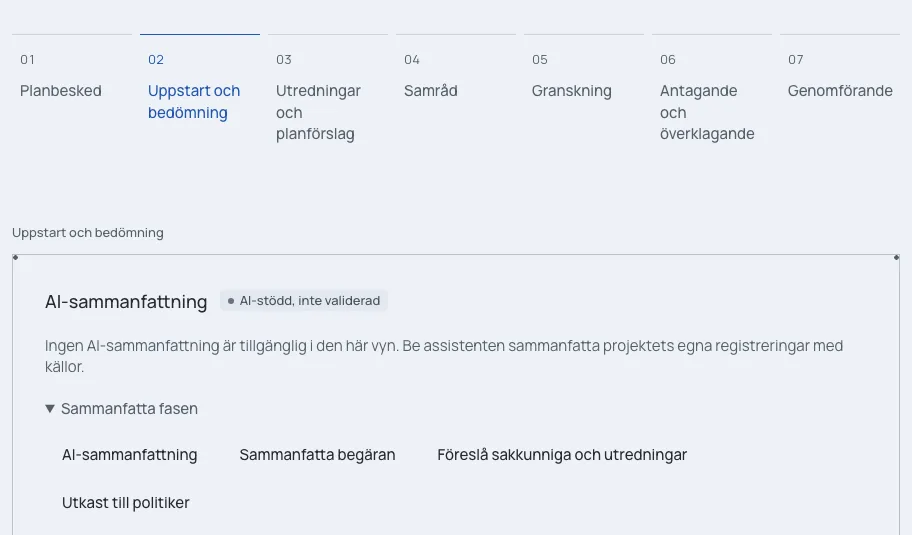
The phase Start-up and assessment, with the jobs Summarise the request, Propose experts and investigations, and Draft for politicians.

03

Investigations

Investigations and the plan proposal are prepared, in-house or by consultants. They have to hold up against the requirements.

Hörsam

  • Checks investigations and the plan proposal against the requirement list.
  • Gives every finding a file, page and quote, or says that nothing was found.
  • Draws the map from the material. A person approves each layer before it is published.

You

Accept, reject or follow up each finding.

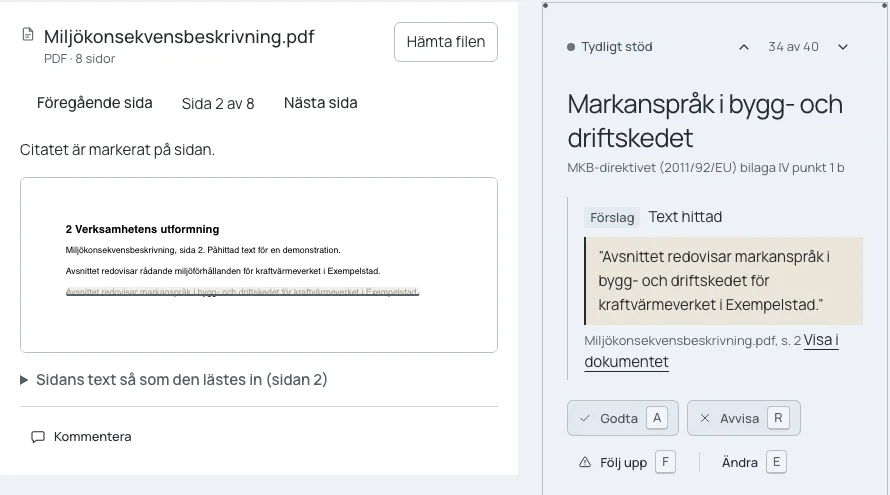
A finding next to the page in the document. The quote is marked on the page and the finding has the buttons Accept, Reject, Follow up and Edit.

04

Consultation

Residents, companies and authorities send in comments during the statutory consultation (samråd). All of them must be read, and all must be answered.

Hörsam

  • Reads in responses from e-mail, letters, PDF, Word and images as proposals.
  • Sorts the comments into themes.
  • Prepares the questionnaire for residents.
  • Proposes replies and writes the consultation report, with a source for every claim.

You

Register each response and approve each reply.

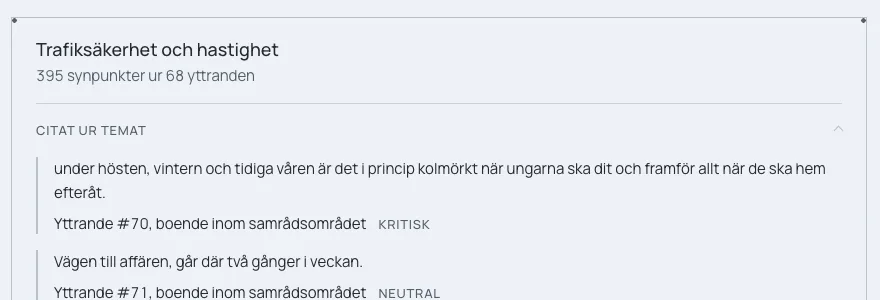
A theme with the number of comments and quotes from the responses. Each quote shows the response's number, not a name.

05

Review

The revised proposal goes out for public review. Comments that are not met must be accounted for.

Hörsam

  • Proposes replies to new responses.
  • Shows for each comment whether it has support in the plan, partial support, or whether no support was found.
  • Collects what was not met in a register and prepares the statement in Word.

You

Decide for each comment whether it is met, and approve the statement.

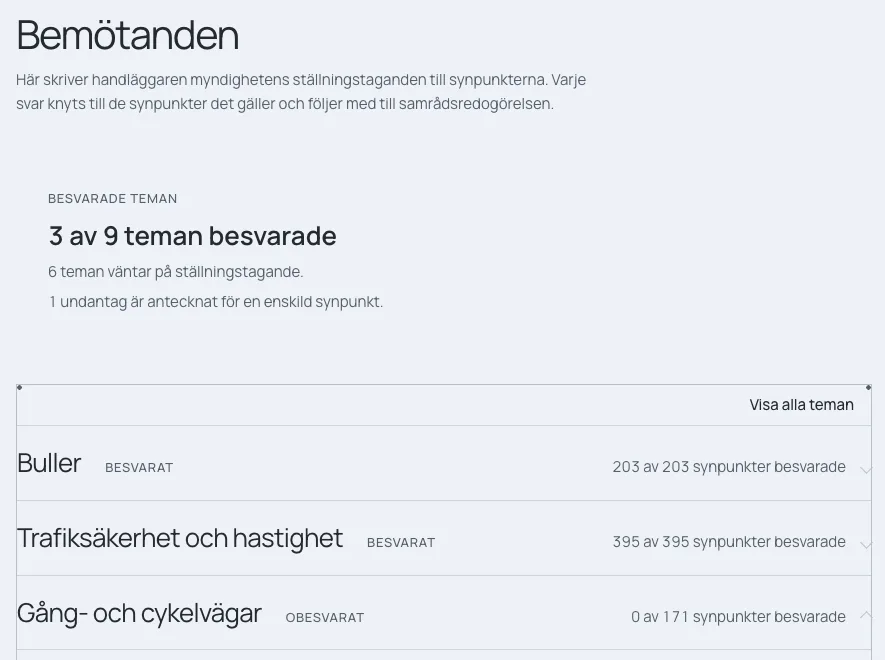
Replies per theme, with how many comments have been answered in each theme.

06

Adoption

The plan is adopted by the politicians. If it is appealed, the appeals must be answered.

Hörsam

  • Reads in the appeals.
  • Links each point of appeal to the responses that came in earlier.
  • Proposes replies and a summary of the decision.

You

Make the decision and approve the replies.

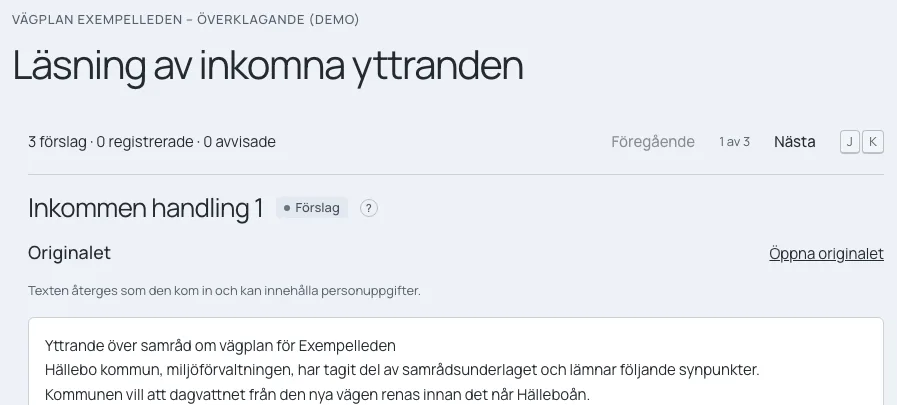
An incoming document in an appeal, read in as a proposal with the original text alongside.

Screenshot from Hörsam, Swedish interface. Demo project with made-up data.

The phases follow the project.

The phases above are the template for a local plan, which also has a final phase for construction. Road plans, rail plans, environmental permits and building permits have their own templates. An organisation can rename, add and remove phases.

In every phase

What is there all the way through.

  • The assistant

    Ask anything about the project. Ask for a memo, a table or a presentation built from the project's own material. Every sentence gets its source.

  • The documents

    PDF, Word, Excel and PowerPoint open in the workspace, next to the review.

  • The team

    Comments, tasks, a timeline and one shared inbox for everything waiting for a decision.

  • Your template

    Memos and reports export to Word in the organisation's own template.

  • The history

    What was checked, what was decided and by whom. The project remembers when you come back.

  • Marked as AI-assisted

    What the agents write is marked as AI-assisted until it has passed a blind test.

For residents

Residents see what happens to their response.

Every project has a public page with a map, the documents and a timeline. Residents comment from their phone and follow their response. In the case officer's view, the response appears under a number, not a name.

How we handle data

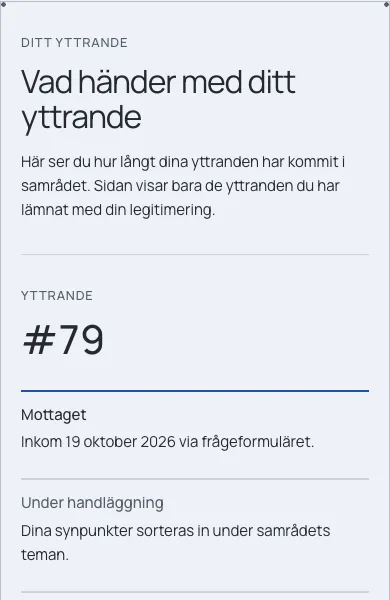
The page What happens to your response on a phone, with response number 79 and the steps Received, Being handled and Answered.

See a project in Hörsam, phase by phase.

We show the workspace in a demo project and talk about how your work looks today.